Only what the radar can do in Tarkov is listed here. The list has been checked with the developer, and the screenshots were taken from a live radar.
Players
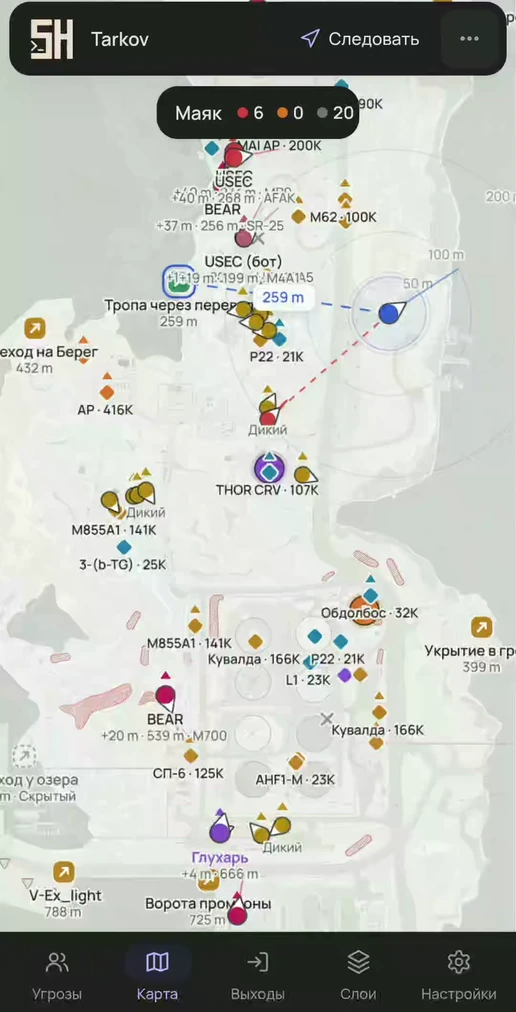
Every live player on the map: USEC, BEAR and player Scav, each with its own marker and color. If the target is 2 m or more above or below you, a ▲ or ▼ arrow with the difference in meters appears next to it.
Name, distance and weapon on every mark
Sight line 25–200 m long
Separate layers for PMCs and player Scavs
Player tracking and a colored mark: 6 colors
Where to view
any device with a browser: phone, tablet, laptop, second monitor
Lighthouse, BEAR and USEC with weapon, distance and height difference
Aiming at you
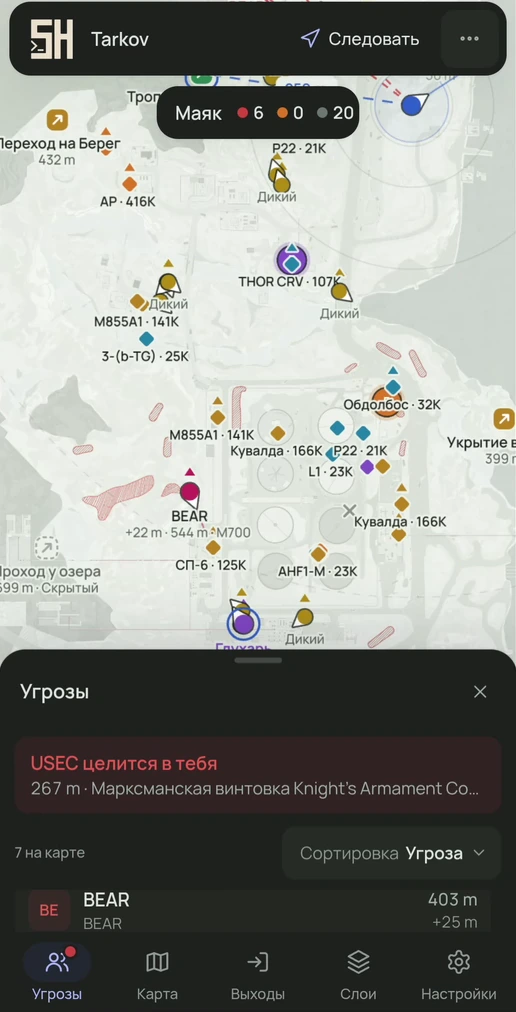
The radar tracks who is looking at you within a set angle and distance. A banner with the name, distance and weapon appears at the top, and on mobile a dot lights up on the “Threats” tab.
Works for players and AI
Angle 5–45°
Distance 25–1000 m or unlimited
“Aiming” and “Tracking” marks in the threat list
Where to view
any device with a browser: phone, tablet, laptop, second monitor
“USEC is aiming at you” banner and a sortable threat list
Bosses and AI
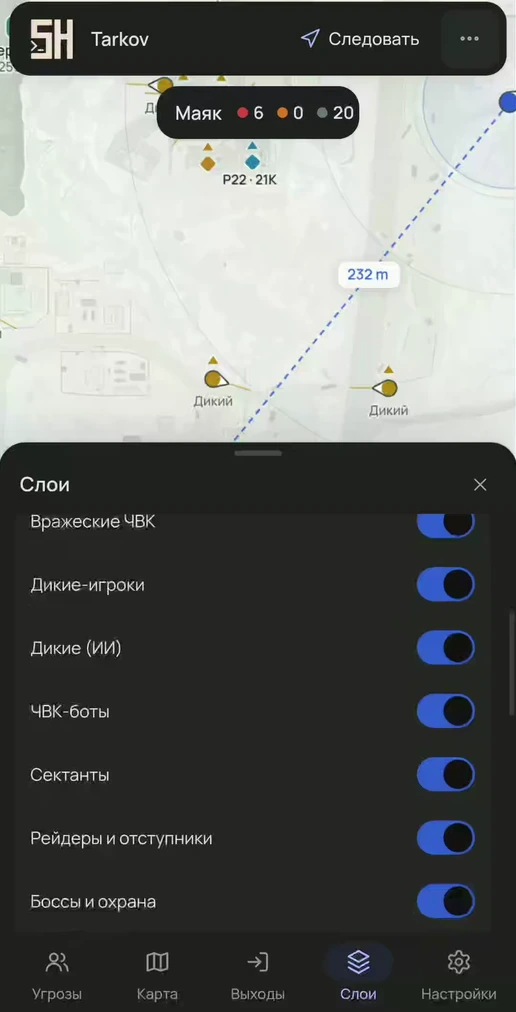
Each AI type is shown or hidden with its own toggle: Scavs, USEC and BEAR PMC bots, Cultists, Raiders and Rogues, bosses with guards. AI also gets sight lines drawn.
Bosses by name and their followers
PMC bots separate from live PMCs
Its own layer for each AI type
Bosses appear in the threat list
Where to view
any device with a browser: phone, tablet, laptop, second monitor
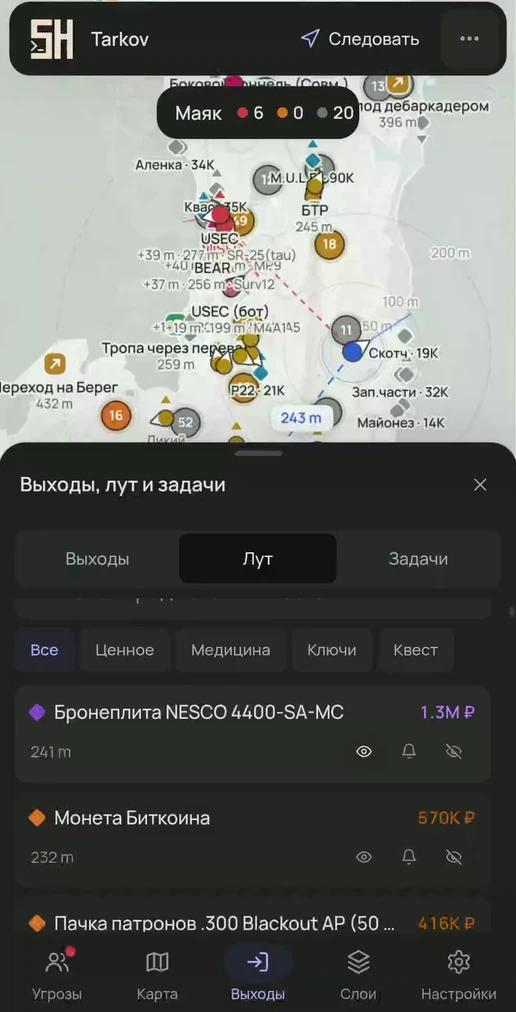
An item is labeled with its name, price, or both. Nearby loot merges into a counter: hover to see the five most expensive items, click to zoom the map in. Clusters near you, within 60 m, expand on their own.
Price: best, Flea Market or trader
Minimum price 10K–500K ₽
Loot radius 0–600 m
Per item: show, notify or hide
Where to view
any device with a browser: phone, tablet, laptop, second monitor
Settings
value thresholds, minimum price, radius, categories
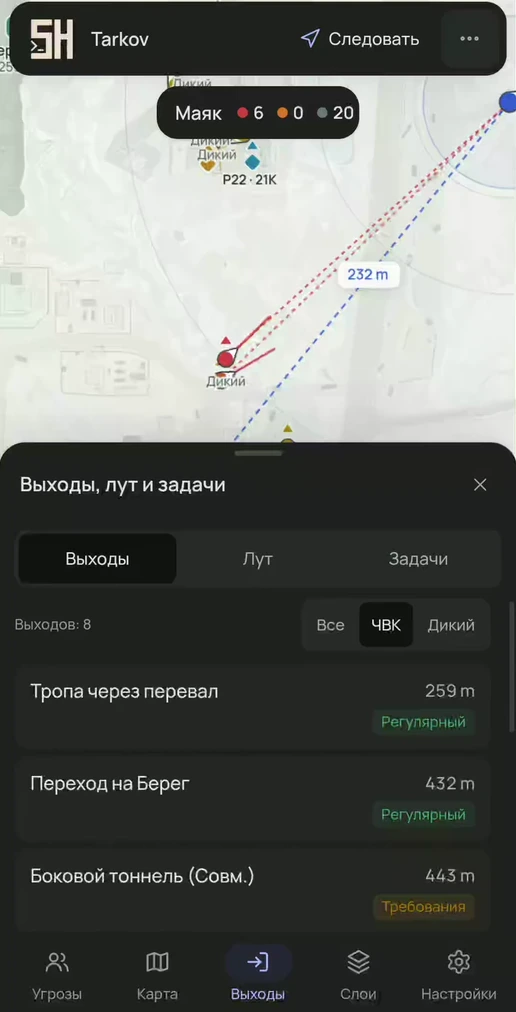
PMC and Scav extracts are on different layers. In the list you can filter them and sort by distance, and a route line showing the distance in meters stretches to the selected extract. The BTR is visible too: direction and distance.
Filter: all, PMC, Scav
Sort by distance
Route to the extract with distance
BTR with direction and distance
Where to view
any device with a browser: phone, tablet, laptop, second monitor
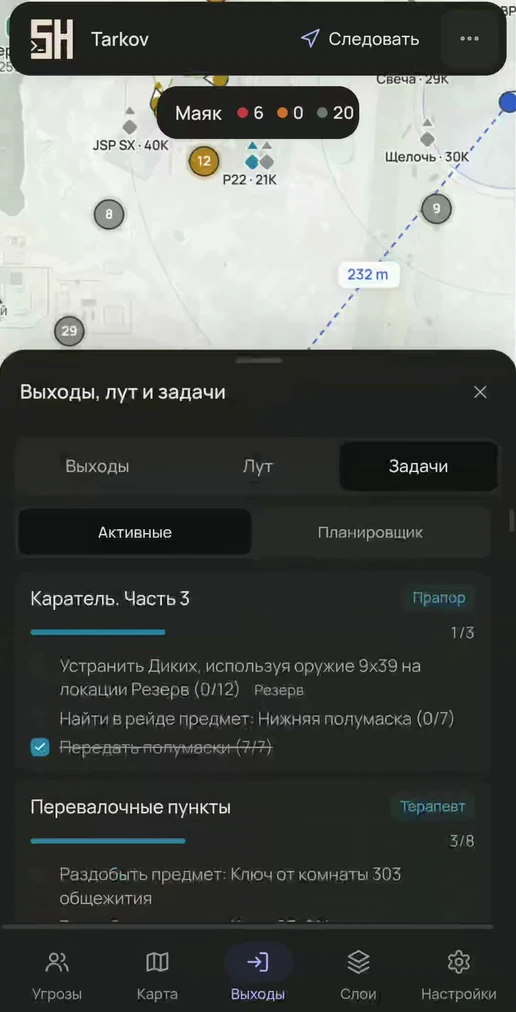
The planner sorts tasks by the current map: what to finish in this raid, what is ready to hand in, what is still to find and what is done on other maps. Objective marks and zones are drawn on their own floor, and the route leads to the nearest objective.
Objective checklist with progress
Items to hand over: have and need, FIR
Quest markers and zones on the map
Quest items are visible at any price threshold
Where to view
any device with a browser: phone, tablet, laptop, second monitor
The map link from the loader can be forwarded to teammates. A friend in the same raid opens it, picks their marker and turns on “View as player”. Distances and the aiming alert are then calculated from that player's position.
The link opens in any browser
“View as player” on any player
“Viewing as…” badge with a “Back to me” button
Where to view
any device with a browser: phone, tablet, laptop, second monitor
All 11 game maps are supported, including The Labyrinth. The map and floor are picked automatically, other floors are dimmed to 25 %. The camera follows you, rotates with your view or stays free. On PC the panels dock to any edge, on phones there are bottom tabs, a drawer and gestures.
Zoom 20–350 %, up to 6 distance rings
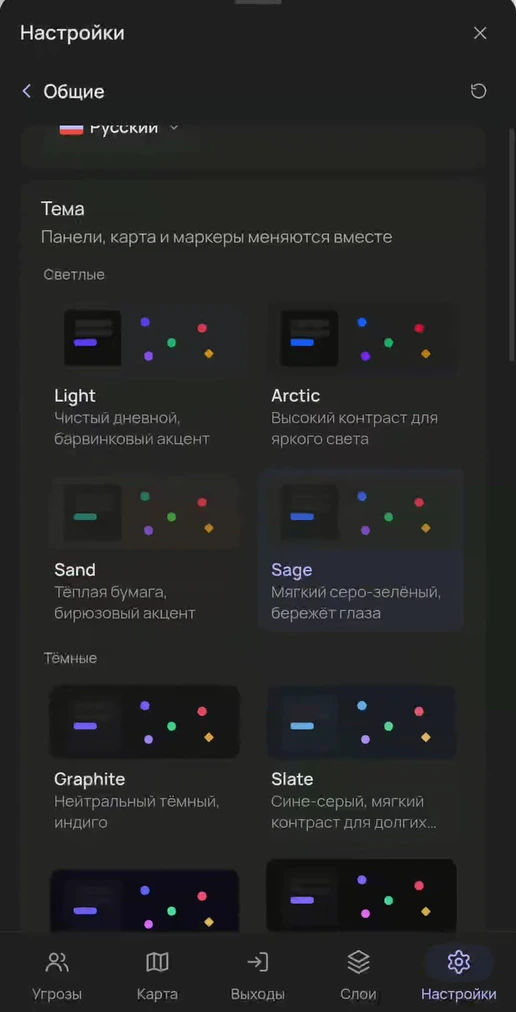
10 themes, 11 fonts, 6 languages
Marker shape and color editor
Where to view
any device with a browser: phone, tablet, laptop, second monitor
 EFTRADAR