 EFTRADAR
Interface: what the radar shows
Table of contents
Where it works
The raid map opens in a browser: after the radar starts, the loader gives you a link to it. Any device with a browser will do — phone, tablet, laptop or second monitor. You can send the link to friends too, and how a friend switches the view to themselves is explained on the page about players.
- Computer: panels dock to the left, right, top or bottom, or float, and they can be resized.
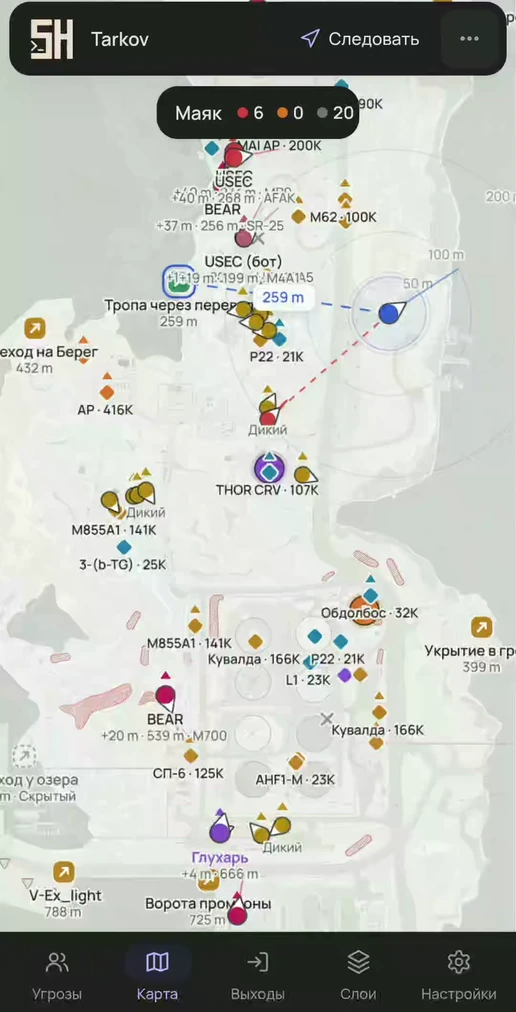
- Phone: bottom tabs, a slide-up sheet and gestures.
Appearance
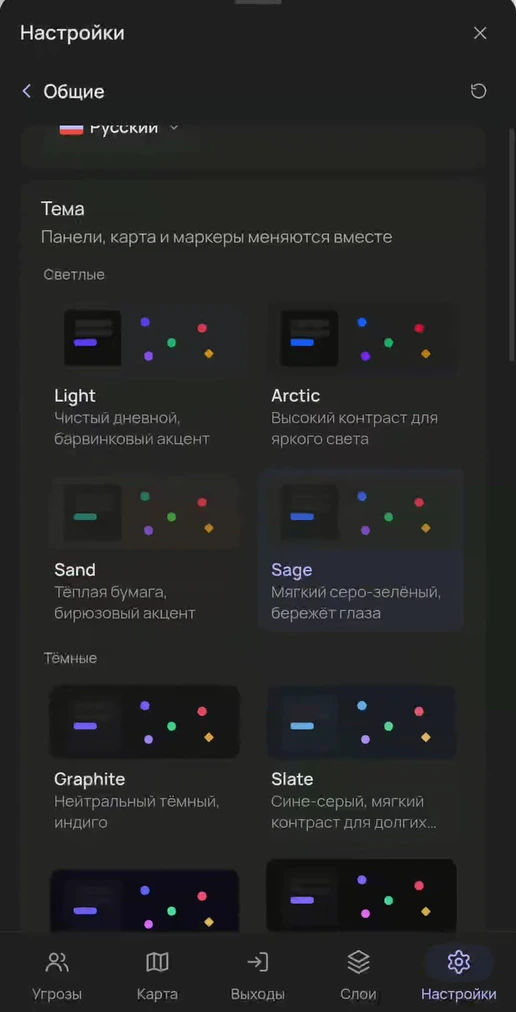
- 10 themes (4 light and 6 dark), 11 fonts, interface scale 80–130%, density regular or compact.
- FPS limit: off, 120, 60 or 30.
- Labels — as plain text or on a badge, size 80–140%, overlapping labels hide automatically, your own text and outline colors.
Marker editor
Separately for each marker type:
- player shape: classic, drop, arrow, view cone, beam;
- object shape: circle, square, diamond, triangle, hexagon, star, chevron, cross;
- fill: solid, no outline, soft, outline;
- direction: wedge, arrow, line or none;
- icons: extract, plus, exclamation mark; size 3–12.
Color presets: theme, classic radar, colorblind, bright, threat focus. You can save, switch and delete your own marker sets. The player marker size and the length and width of the direction arrow are set separately.
Hotkeys
| Key | Action |
|---|---|
| F | Tracking |
| R | Rotation |
| G | Free camera |
| C | Fit map |
| V | Focus mode |
| [ / ] | Hide left / right panel |
| H | Help |
| Esc | Close |
Settings
- Export and import of settings to an encrypted file — handy for moving to another device.
- Reset a single tab or all settings.
- 6 languages: Russian, English, Spanish, Portuguese, Turkish, Chinese.
Try it
- The map opens from the loader link in any browser.
- All features are in every plan; only the duration differs.
Questions and answers
Can I use the radar on a phone?
Yes. Open the loader link on your phone: there are tabs at the bottom, a slide-up sheet and gestures, pinching zooms the map, and tapping a player opens a card. The link works in any other browser too: on a tablet, laptop or second monitor.
Is Russian available?
Yes, the interface is fully in Russian, and also in English, Spanish, Portuguese, Turkish and Chinese.
Other features
- Quests on the map — objectives and zones on the map, raid planner, route to objective
- Players and threats — PMCs, Scavs, bots and bosses, sight lines, aim warning, view from a friend's perspective
- Loot and containers — prices on the map, value tiers, smart clusters, item notifications
- Extracts and map — extract status, route to an extract, BTR, floors and camera