 EFTRADAR
Players and threats: what the radar shows
Table of contents
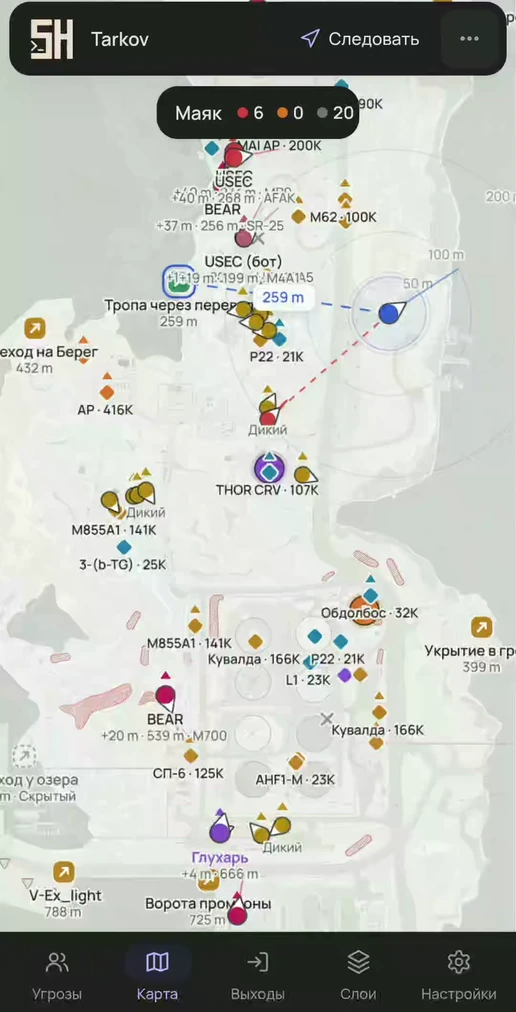
Players
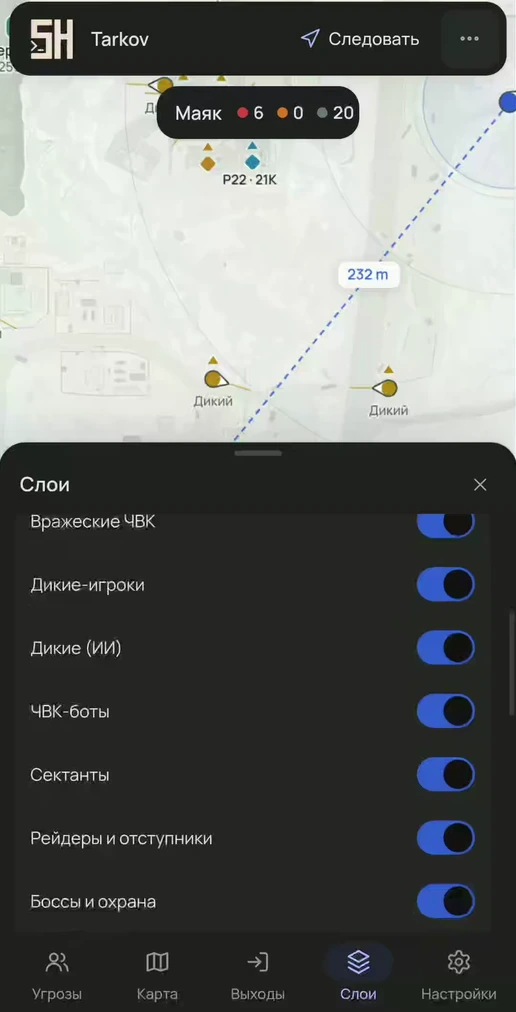
- USEC, BEAR and player Scavs — each has its own marker and color; PMCs and player Scavs are on separate layers.
- Next to the marker: nickname, distance, weapon and height difference in meters. If the target is 2 m or more above or below you, a ▲/▼ arrow appears.
- Sight line shows where the enemy is looking; the length is adjustable (25–200 m).
AI
Scavs, PMC bots (USEC bot and BEAR bot), Cultists, Raiders and Rogues, bosses by name and their followers. Each type has its own layer, and AI gets sight lines too.
Aim warning
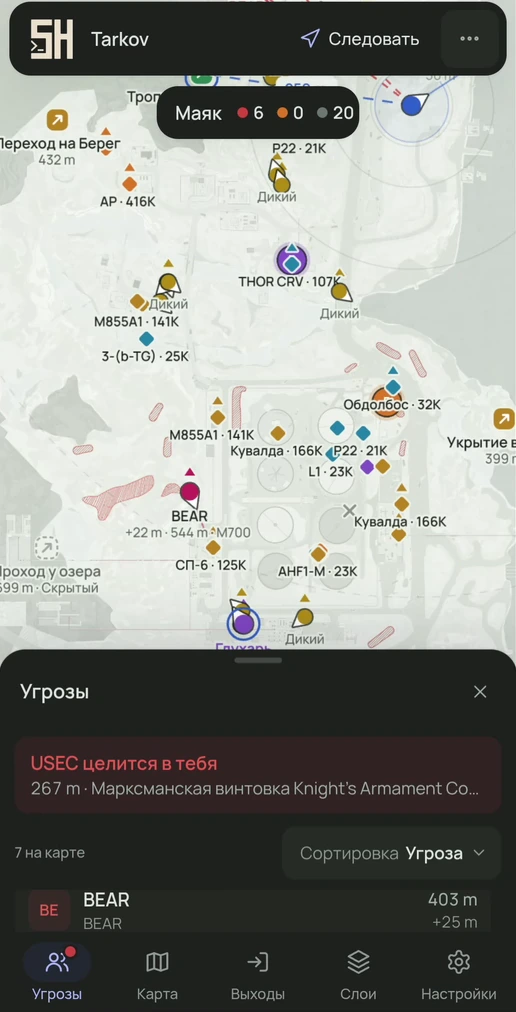
The radar notices when a player or AI is aiming at you. The enemy marker turns red, its sight line gets longer, and a dashed line stretches to you. A banner “{nick} is aiming at you” appears at the top with the distance and weapon, and on a phone a dot lights up on the tab. Sensitivity is adjustable: angle 5–45°, distance 25–1000 m or unlimited.
Threat list
All enemy players and bosses in one list: nickname, side (USEC, BEAR or Scav), distance, height, weapon and the “Aiming” and “Tracking” tags. Sort by threat, distance or nickname. A click selects the player, a double click turns on tracking.
Player actions
- Tracking: the camera locks onto the player.
- Mark: 6 colors, a colored marker and a ring.
- View as: distances and aim warnings are calculated from the selected player.
- Tooltip on mouse hover, card on tap.
Teammate's view
You can send the map link from the loader to friends. A teammate who joined the same raid as you opens it, picks their own marker and turns on “View as”. Now distances are measured from them, and the “aiming at you” alert fires when someone aims at them. For your friend it is a full radar, even though you were the one who launched the client.
The bosses reference: where each one spawns and with what chance.
Try it
- The map opens from the loader link in any browser.
- All features are in every plan; only the duration differs.
Questions and answers
Can you see bosses and followers?
Yes, bosses are labeled by name, followers are marked separately, and they have their own layer.
How does the “aiming at you” warning work?
If a player or AI is looking at you within the set angle and distance, their marker turns red, a dashed line stretches to you and a banner appears with the nickname, distance and weapon.
What does the radar measure distances from?
From you, until “View as” is turned on. With that mode, the selected player becomes the reference point. That is what a friend does when you have sent them the loader link: if they are in the same raid, distances and the aim alert are calculated from them.
Other features
- Quests on the map — objectives and zones on the map, raid planner, route to objective
- Loot and containers — prices on the map, value tiers, smart clusters, item notifications
- Extracts and map — extract status, route to an extract, BTR, floors and camera
- Interface — any browser, 6 languages, 10 themes, marker editor, hotkeys