 EFTRADAR
Quests on the map: what the radar shows
Table of contents
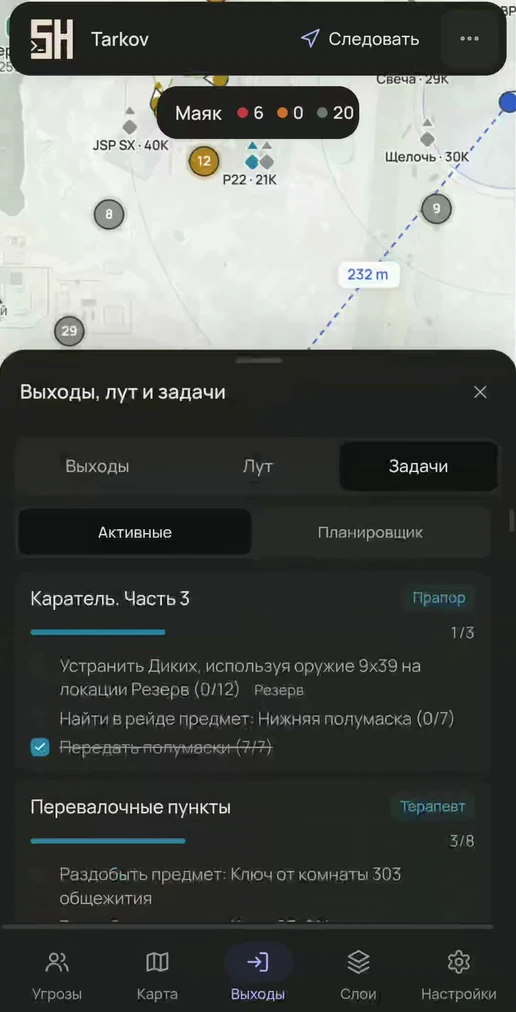
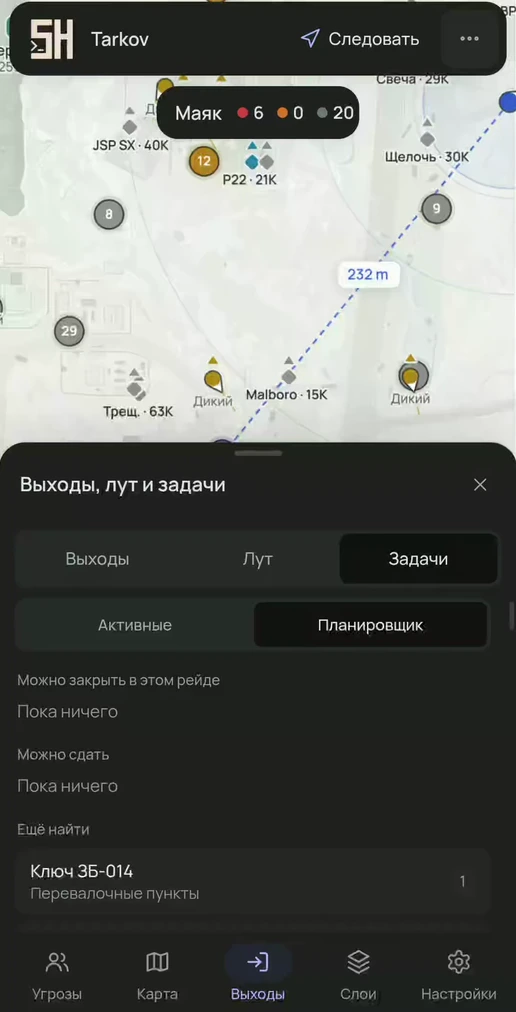
The “Tasks” tab takes your character's active quests and arranges them by the current map. Progress updates right in the raid.
Active
Each quest has an objective checklist in formats like “Find 2 × …”, “Kill 5: Scavs”, “Visit the zone”, “Survive and extract”. Next to it are the items to hand over with a have/need counter and a FIR mark, as well as the keys you'll need. Objectives on another map are labeled with its name.
Raid planner
- Can finish in this raid — quests whose objectives are all on this map and whose items are already collected.
- Can hand in — enough items collected.
- Still to find — what is missing, marked FIR.
- On other maps — objectives that need a different raid.
On the map
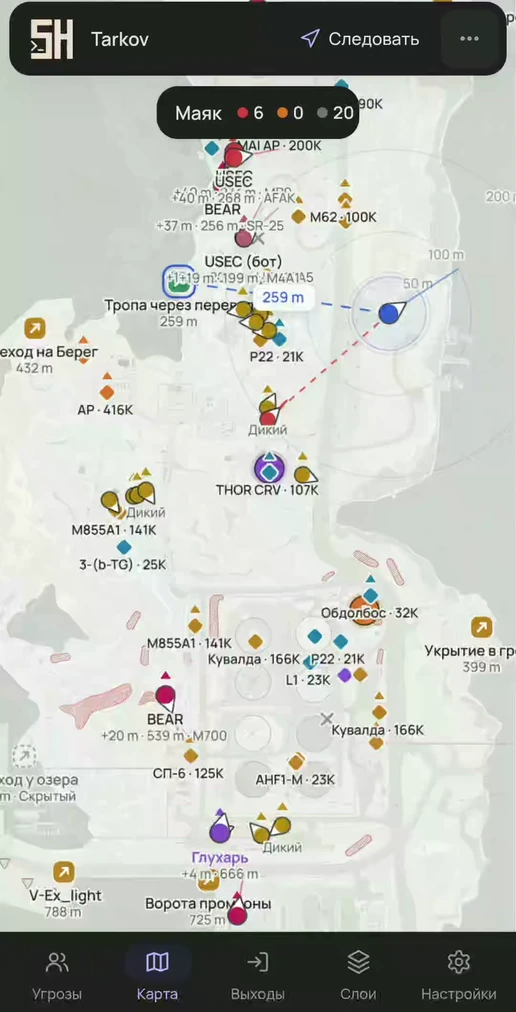
Quest marks and zones are drawn on their own floor. The route line leads to the nearest objective and shows the distance. Quest items are always visible, even below the price threshold.
The reference for all 504 quests is in the Quests section: every quest page has a block on exactly how the radar helps you complete it.
Try it
- The map opens from the loader link in any browser.
- All features are in every plan; only the duration differs.
Questions and answers
Does the radar show all quests or only active ones?
In a raid — only your character's active quests, with live progress. The full quest reference is on the website.
Can I see where a quest item is?
Yes: an objective mark and zone on the map, floor-aware, and the route leads to the nearest objective with the distance in meters.
Other features
- Players and threats — PMCs, Scavs, bots and bosses, sight lines, aim warning, view from a friend's perspective
- Loot and containers — prices on the map, value tiers, smart clusters, item notifications
- Extracts and map — extract status, route to an extract, BTR, floors and camera
- Interface — any browser, 6 languages, 10 themes, marker editor, hotkeys