 EFTRADAR
Loot and containers: what the radar shows
Table of contents
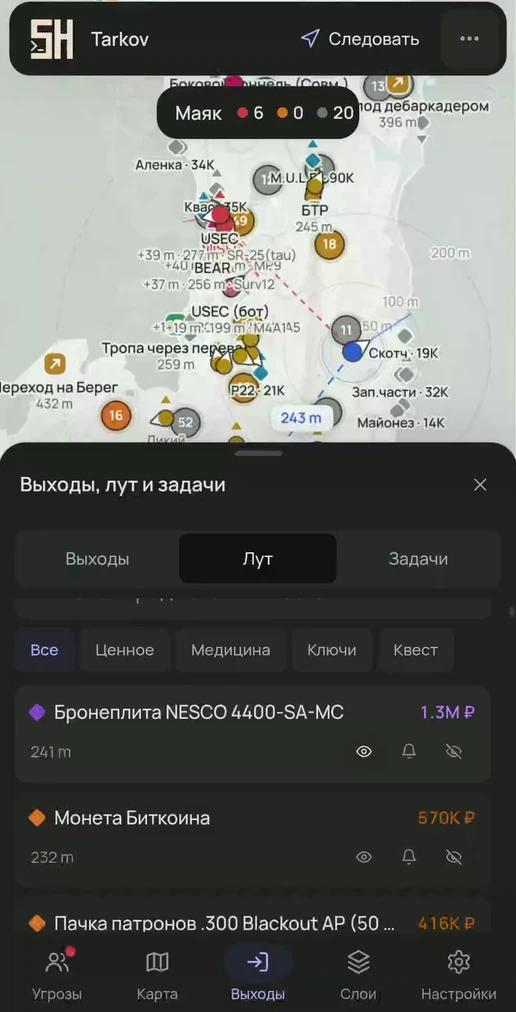
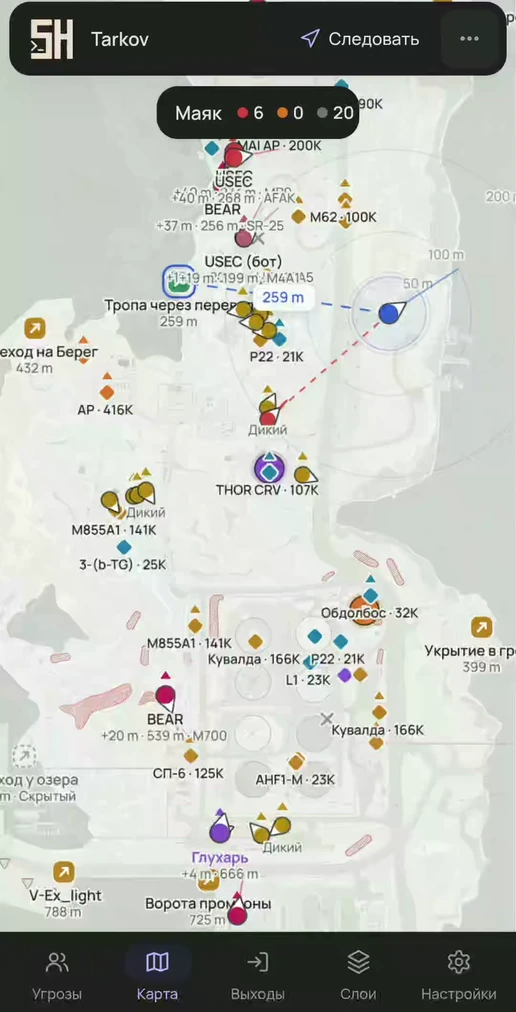
- Color by value: 4 tiers — Common, Good, Rare, Top. Thresholds and colors are adjustable.
- Labels: name, price or both. Price source — best, Flea Market or trader.
- Minimum price from 10K to 500K ₽, loot radius from 0 to 600 m (quick presets 50 / 100 / 200 / 400 m).
- Categories: valuables, medical, keys, quest. Quest items are always visible.
- Height arrows show loot above or below you.
- Smart clusters: nearby loot merges into a counter; on hover the 5 most expensive items are shown, a click zooms in. Clusters within 60 m of you expand on their own.
Item rules
For each item: always show, notify or hide. A notification pops up when the item is spotted — with the distance and price.
Loot list
Search, categories, sorting by price; a click on an item builds a route to it.
Containers and bodies
Containers are marked with their own color, stacks of crates are shown with a single “×N” marker. Bodies are on a separate layer.
Prices and categories of all items are in the Items section, keys are in the Keys section.
Try it
- The map opens from the loader link in any browser.
- All features are in every plan; only the duration differs.
Questions and answers
Where does the radar get prices?
You choose the source in the settings: best price, Flea Market or trader.
Can I get a notification about a specific item?
Yes, use the “Notify” rule on the item: when it is spotted in the raid, a notification pops up with the distance and price.
Other features
- Quests on the map — objectives and zones on the map, raid planner, route to objective
- Players and threats — PMCs, Scavs, bots and bosses, sight lines, aim warning, view from a friend's perspective
- Extracts and map — extract status, route to an extract, BTR, floors and camera
- Interface — any browser, 6 languages, 10 themes, marker editor, hotkeys